How to split a song into stems on Windows, offline
Install a stem separator that runs locally, load the song, choose the stems you want, and let your PC do the work. With an NVIDIA graphics card the split runs on the GPU, which is the fast path; without one it runs on the CPU and simply takes longer.
Online splitter or one on your PC?
Online splitters are quick to try: you upload a song and download stems. The catch is in the details: uploads, queues, file-size caps, monthly minutes, and your audio sitting on somebody else's server. A splitter that runs on your PC has none of those, but it needs a capable machine and a larger download, because the AI model lives on your computer.
If you split songs often, work on your own songs before they are out, or simply don't want to upload, a local splitter is the better fit.
What hardware helps
- An NVIDIA graphics card is the biggest speed-up. Separation models run far faster on a CUDA-capable GPU than on a processor.
- No NVIDIA card? A good local splitter falls back to the CPU. It's slower, but the result is the same.
- Disk space. Stems are full-quality audio files, one per part per song, so a library of split songs grows quickly.
Step by step on Windows
- Install the splitter and, if you have an NVIDIA card, make sure its GPU option is switched on.
- Load a good source. WAV or another lossless file separates more cleanly than a small MP3.
- Pick the split you actually need. An instrumental for singing; all stems if you want to mute one instrument and play it yourself.
- Run it, then check each stem soloed on headphones, especially through the loudest chorus.
- Export or drag the stems into your DAW, or mix them right in the app.
Where AudioPrism fits
AudioPrism is a desktop app for Windows 10/11 (64-bit) and Mac with Apple Silicon. It runs Demucs on your own computer and uses an NVIDIA GPU when you have one.
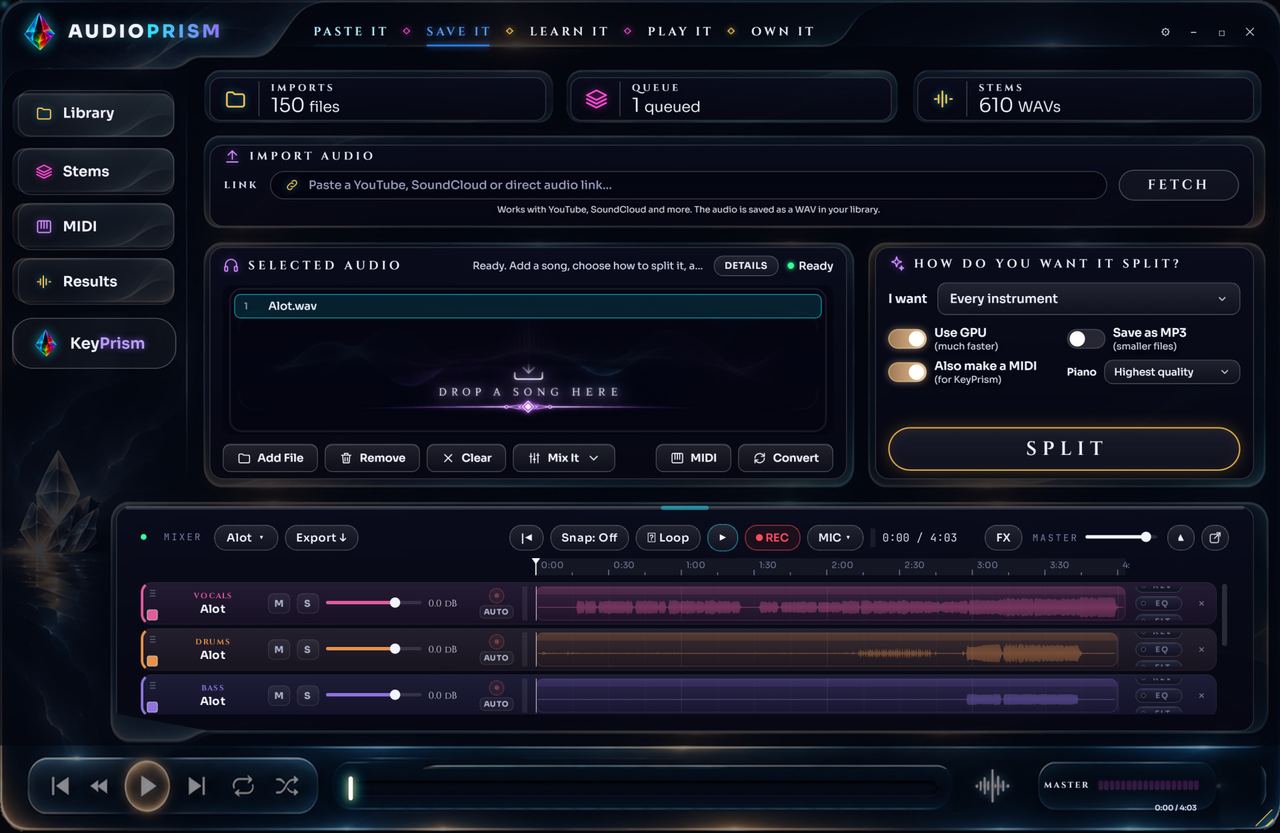
- Get the song: drop in a file, or paste a YouTube, SoundCloud or direct link. Audio from a link is saved as a WAV, not an MP3.
- Split it: an acapella, an instrumental, any single instrument, or all six stems: vocals, drums, bass, guitar, piano and other.
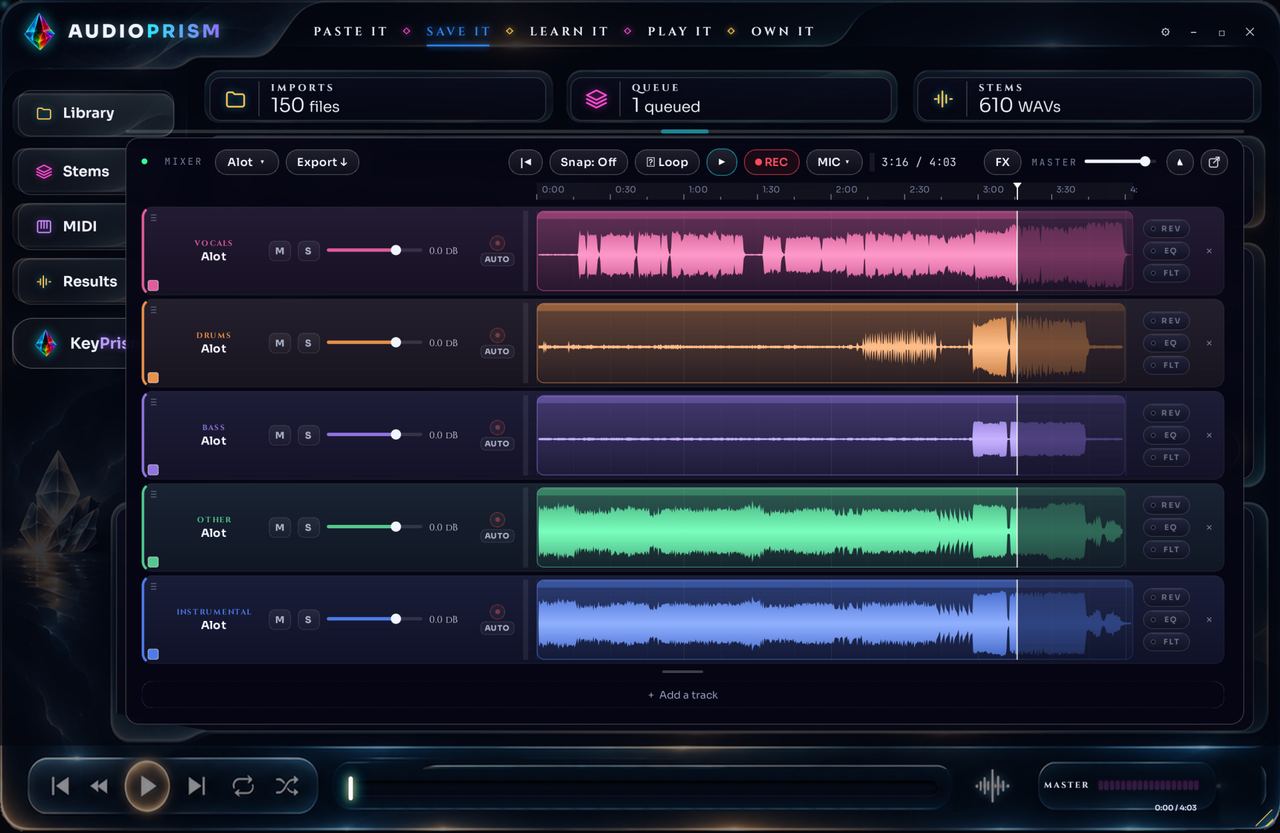
- Mix and record: every stem opens in the built-in mixer with mute, solo and level, and you can record yourself over the song.
- MIDI with one button from any stem.
- Learn it on piano: KeyPrism, the trainer built in, shows the piano part as falling notes with note names and fingering, slowed to 40% if you like, looped and hands separate.
There's no account, no upload and no daily limit, and no subscription. The license key activates once, then the app works offline.
Honest limits
- The download is a 7.3 GB zip. Unzip it, then run AudioPrism-Setup-2.3.0.exe.
- Without an NVIDIA GPU the split runs on the CPU and takes longer.
- Separation can leave traces: dense mixes may leave some bleed between stems.
- On a PC it needs Windows 10 or 11, 64-bit. On a Mac it needs Apple Silicon.
Questions people ask
Do I need an NVIDIA graphics card?
No. AudioPrism uses an NVIDIA GPU (CUDA) when it finds one, because that is the fast path. Without one it falls back to the CPU, which works but takes longer.
Which Windows versions are supported?
Windows 10 and 11, 64-bit.
Why is the download so big?
The Windows download is a 7.3 GB zip because the separation runs on your computer, so everything it needs comes with it. Unzip it and run the installer inside.
Which stems do I get?
Up to six: vocals, drums, bass, guitar, piano and other. Or just an acapella, an instrumental, or any single instrument.
Can I use the stems in FL Studio, Ableton or Reaper?
Yes. They're standard audio files. Any stem can also be exported to MIDI with one button, if you'd rather have the notes.