Paste a link.
Get the WAV, the stems, the MIDI — then learn how to play it.
And best of all — learn it on the piano, in the same program.
It's local. One-time purchase. No monthly fee. Lifetime updates. Everything runs on your own machine — WAV MIDI CUDA out to plain folders on your disk.
IT'S REAL AND IT'S HERE.
From a link to a mix you can play.
local, unmetered, yoursA link goes in and a song you can play comes out. Nothing queues behind another customer, nothing is metered, and there is no cap on how many times you run it.
Buy it once. It is yours.
no account, no serverSeparation apps meter your minutes and keep your audio. Learning apps only teach the songs they have licensed. AudioPrism does neither — it runs on your machine, on whatever you paste into it, with the network off.
Split it. Now mix it, cut it and record over it.
Every split now opens in a mixer under the splitter, one lane per stem. Balance them, edit them, sing or play over them and export what you hear, without opening another program.
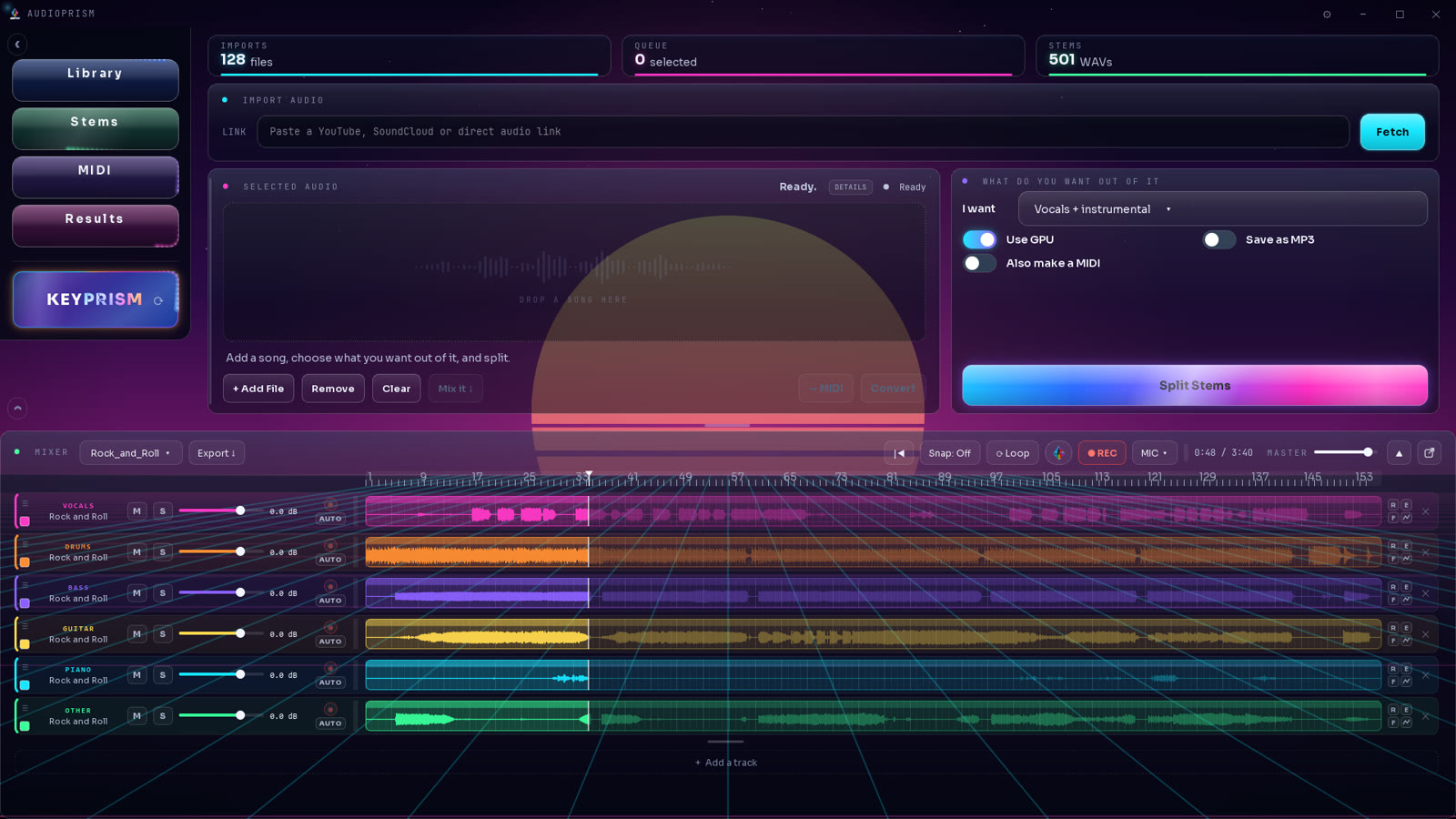
A lane for every stem
Fader, mute, solo, meter and waveform on each one, plus effects per lane. Dock it under the splitter or let it fill the page.
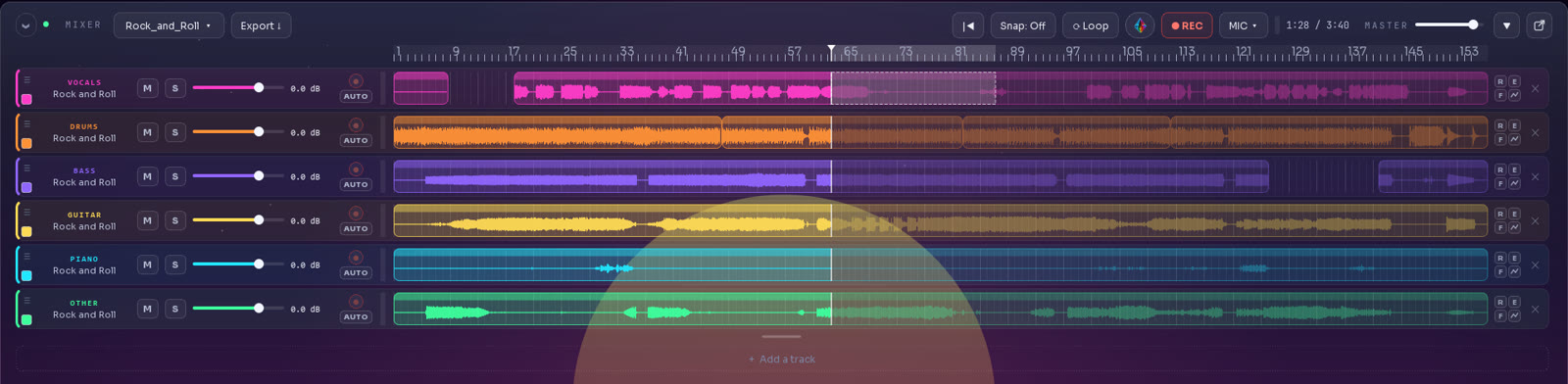
Cut, slide, copy, paste
Stems become clips on one timeline. Split at the playhead, trim an edge, drag a clip to another lane, snap to the beat. Your files are never changed and undo goes back sixty steps.
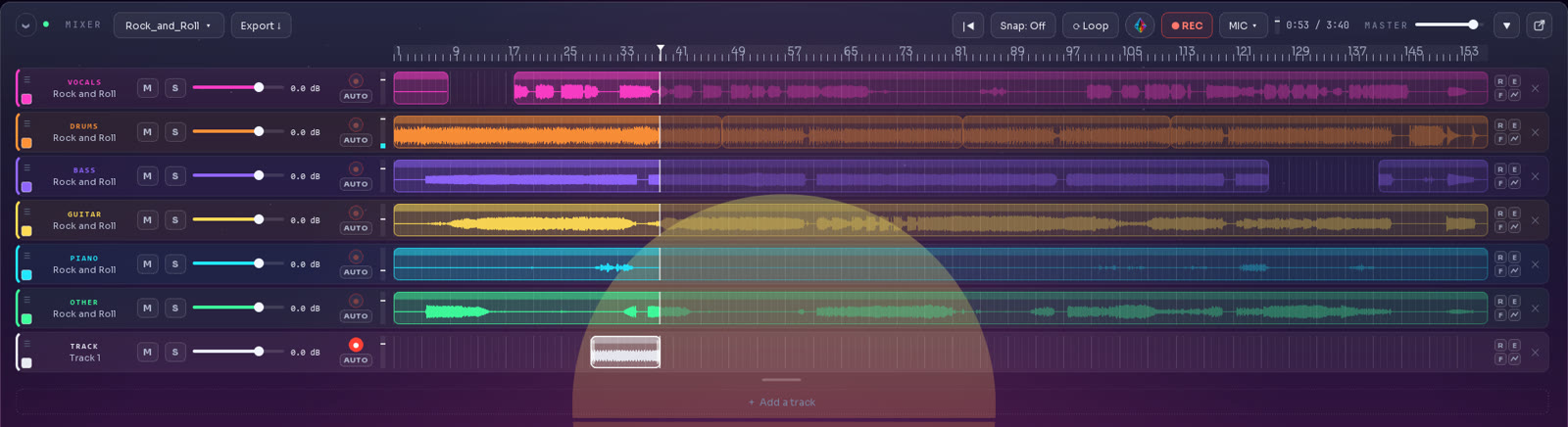
Record over the song
Hit REC and sing or play along. The take lands in its own lane, lined up with the song. Select a range first and it punches in just that part.
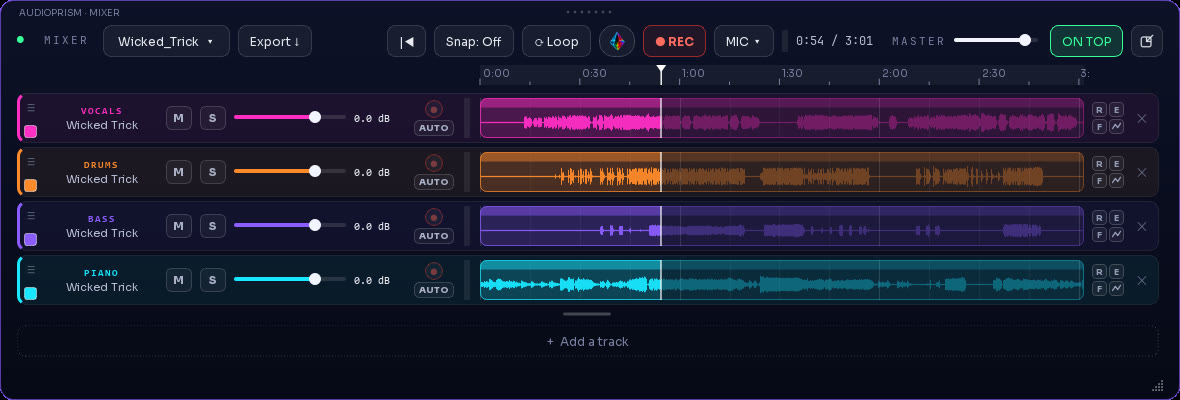
Pull the mixer out. Pin it on top.
One click lifts the mixer into its own window. Switch on ON TOP and it stays above everything else, so your stems sit over your DAW, your sheet music or a video while you work. The same button docks it back.
Export what you hear
Your levels, mutes, solos and edits render to one file: WAV or 320k MP3.
BPM and key on every song
Tempo, musical key and Camelot code show up under the song as soon as you add it.

A mixer on the piano side too
Your keys, the melody, the bass, the track and the vocals each get EQ, reverb, pan and a fader.
Make it yours
Ten backgrounds, eight colours or your own picture, and the window now fits any size.
Reviews & press
from owners and the press“…a lossless WAV URL downloader, local stem separator, MIDI export, and a piano mode…”
A guide to what stem splitting and MIDI extraction can and can’t do when you learn piano — with AudioPrism as the example.
Listed and sold on the KVR Marketplace. Already own it? Leave a user review there — it helps other producers decide.
Updates
free for life, and you hear about each one- Stem mixer: a lane per stem with fader, mute, solo, meter, waveform and effects
- Detach the mixer into its own window and pin it on top of other programs
- Clip editing: cut, split, trim, slide, copy and paste, snap to the beat, undo
- Record a take over the song, with punch-in, and export the mix as WAV or MP3
- BPM, key and Camelot code under every song
- Backgrounds and colours, and a window that fits any size
- A mixer inside KeyPrism
- Per-instrument MIDI export: piano, guitar and bass each to their own MIDI file
- KeyPrism, the piano trainer, arrives inside AudioPrism
Get told when a new version ships.
One short email per release, with what changed and the download link. Nothing else.