An offline, one-time-purchase alternative to Moises and LALAL.AI
If you want stem separation that runs on your own computer, with no uploads and no monthly plan, look for a desktop app that runs the model locally and is sold once. AudioPrism is one: Windows and Apple Silicon Macs, $59.99 once, offline separation, MIDI export and a piano trainer.
What to compare
- Where the separation runs. On a server (you upload the song) or on your own computer (nothing leaves it). Local processing has no queue and works offline, but it needs a capable machine.
- How you pay. Monthly or yearly plans, minute packs, or a single purchase. Work out what a year of your actual use costs.
- Which devices you use. Phone, tablet, browser, or a desktop computer.
- What happens after the split. Download stems and leave, or keep working: mix, play along, make MIDI, learn the part.
Side by side
The Moises and LALAL.AI columns only repeat what each company's own website said on November 23, 2026. Plans change, so check their pricing pages before you decide.
| Moises | LALAL.AI | AudioPrism | |
|---|---|---|---|
| How you pay | Free tier with a limited number of uploads a month; paid subscription for full features and unlimited uploads | Free Starter plan; Lite and Pro subscriptions; one-time top-up packs of processing minutes | One-time purchase, lifetime updates |
| Where splitting runs | You upload songs to the service | On their servers; the Pro plan adds local processing in the desktop app and plugin | On your own computer, offline (Demucs) |
| Platforms | Web, iPhone, iPad, Android and desktop | Web, plus desktop apps for Windows, macOS and Linux | Windows 10/11 64-bit and Mac with Apple Silicon |
When Moises or LALAL.AI is the better fit
- You want to practice on a phone or tablet, or in a browser on any computer.
- Your computer is an Intel Mac, which AudioPrism doesn't support.
- You split only a few songs and their free tier covers it.
- You need a feature AudioPrism doesn't have. Check their sites for what they offer.
When AudioPrism is the better fit
- You'd rather not upload songs, or you work on songs that are not out yet.
- You split often and don't want a monthly plan or a minute counter.
- You play piano, or want to learn: the same app teaches the song on piano.
- You want MIDI from the stems without another tool.
What AudioPrism does
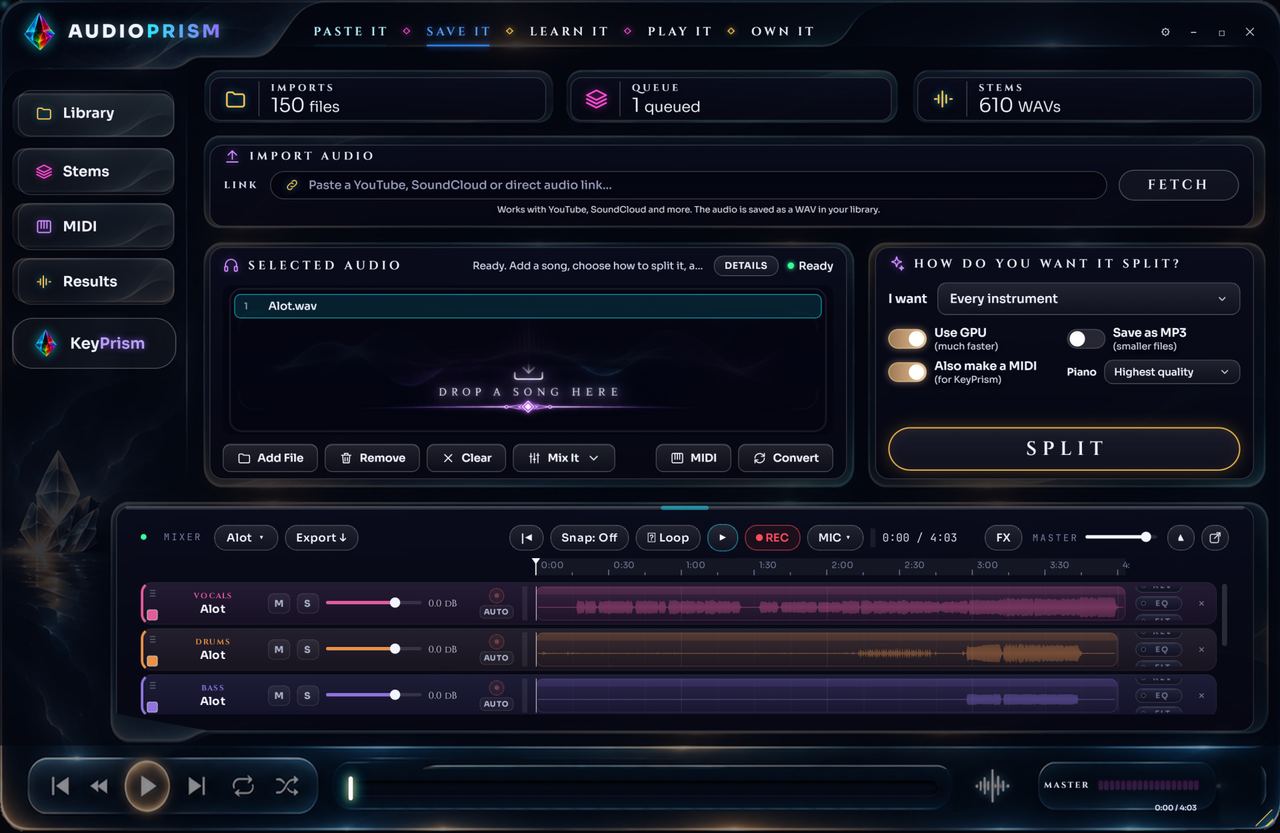
- Get any song: drop in a file, or paste a YouTube, SoundCloud or direct link. The audio is saved as a WAV, not an MP3.
- Split it offline with Demucs: an acapella, an instrumental, any single instrument, or all six stems (vocals, drums, bass, guitar, piano, other). An NVIDIA GPU is the fast path; without one it runs on the CPU. On Mac it runs on Apple Silicon.
- Mix and record: the stems open in a built-in mixer where you can mute, solo and record yourself over the song.
- MIDI: any stem exports to MIDI with one button.
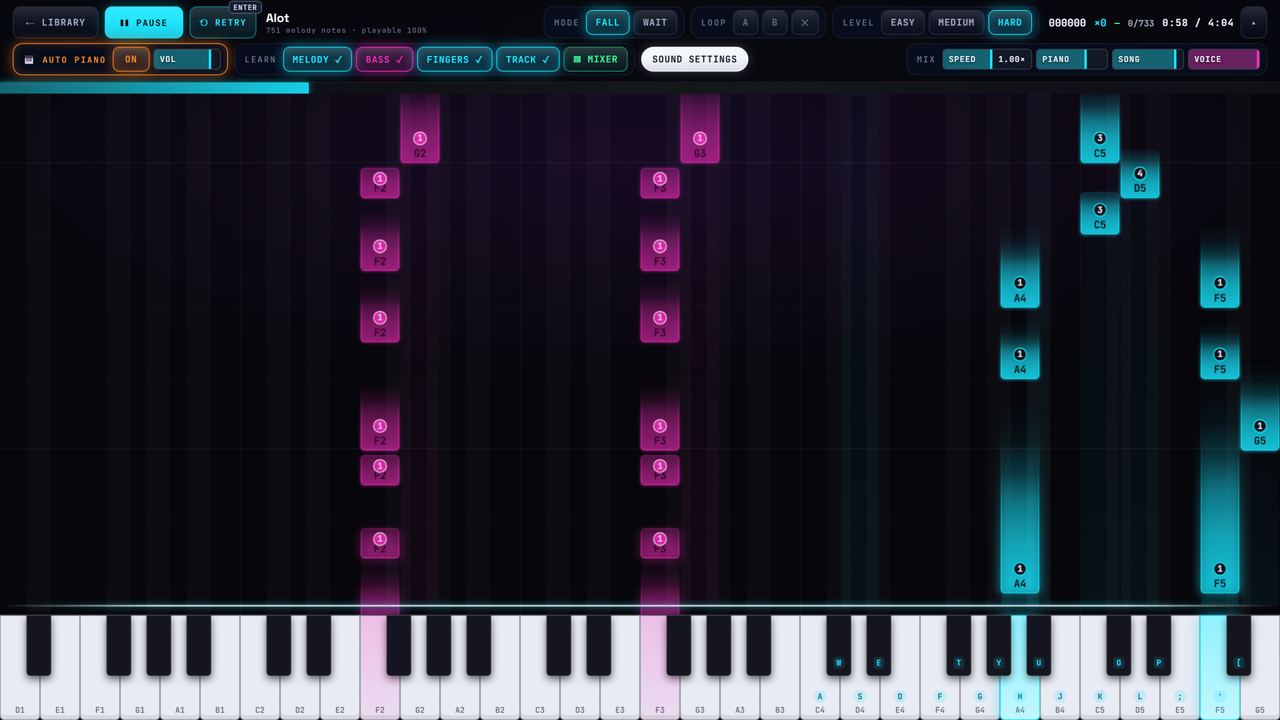
- Learn it on piano: KeyPrism turns the song into a two-hand piano part as falling notes, at Easy, Medium or Hard, with note names and finger numbers. Slow it to 40%, loop a bar, practice hands separately, and keep the vocal on its own fader.
No account, no upload, no daily limit. The license key activates once and then works offline. It covers personal and commercial creative use.
Honest limits
- Desktop only: no phone, tablet or web version of the full app.
- Mac: Apple Silicon only (M1 or newer, macOS 12+).
- Without an NVIDIA GPU, splitting runs on the CPU and takes longer.
- The Windows download is a 7.3 GB zip, because the models run on your machine.
Questions people ask
Is AudioPrism a subscription?
No. It's a one-time payment of $59.99 during the launch sale (regular $79.99), with lifetime updates and a 14-day refund.
Does AudioPrism work on a phone or in a browser?
No. It's a desktop app for Windows 10/11 (64-bit) and Macs with Apple Silicon. Only the KeyPrism demo runs in a browser.
Does it need the internet?
Once, to activate the license key. Fetching a song from a link also needs a connection. Separation, MIDI and KeyPrism run offline.
Is there a limit on songs or minutes?
No. There's no account, no upload and no daily limit, because everything runs on your own computer.
Can I use the stems commercially?
The AudioPrism license covers personal and commercial creative use of the app. Whether you can release something made from a song depends on the rights to that song.