
How to remove the guitar from a song and play along
Split the song into stems with a separator that has a guitar stem, mute the guitar, and play over everything else. Keep the isolated guitar too: solo it while you learn the part, then mute it and take its place.
The quick ways (and why they fall short)
- Search for a backing track. Try the song name plus "backing track" or "no guitar". Popular songs often have one; the sound and arrangement may differ from the original.
- EQ the guitar down. Cutting the midrange makes the guitar quieter but also guts the vocal and snare. It doesn't remove anything cleanly.
The reliable way is stem separation: an AI model splits the recording into instruments, and you leave the guitar out.
Step by step
- Get a good copy of the song: WAV or another lossless file if you can. If you start from a link, save it as WAV.
- Split it into all stems with a separator that has a dedicated guitar stem. A split into just vocals, drums, bass and other leaves the guitar mixed in with keys and synths.
- Solo the guitar stem first and learn the part from it. Hearing the guitar alone makes chord shapes, strumming and muting much easier to pick out.
- Mute the guitar and play along with the drums, bass, vocals and the rest. Plug into your amp or interface at a volume that matches the track.
- Keep a guide level if you need it. Instead of muting the guitar completely, leave it quiet so you can still hear where the part goes.
- Record yourself over the backing and listen back. It's the fastest way to hear timing problems.
Practice tips
- Loop the section you're working on rather than restarting the song.
- Learn the rhythm part all the way through before the fills and solos.
- When the part is solid, switch between your recording and the original guitar stem to compare tone and feel.
Where AudioPrism fits
AudioPrism is a desktop app for Windows and Mac (Apple Silicon) that does the split offline with Demucs, then gives you a mixer to play along in.
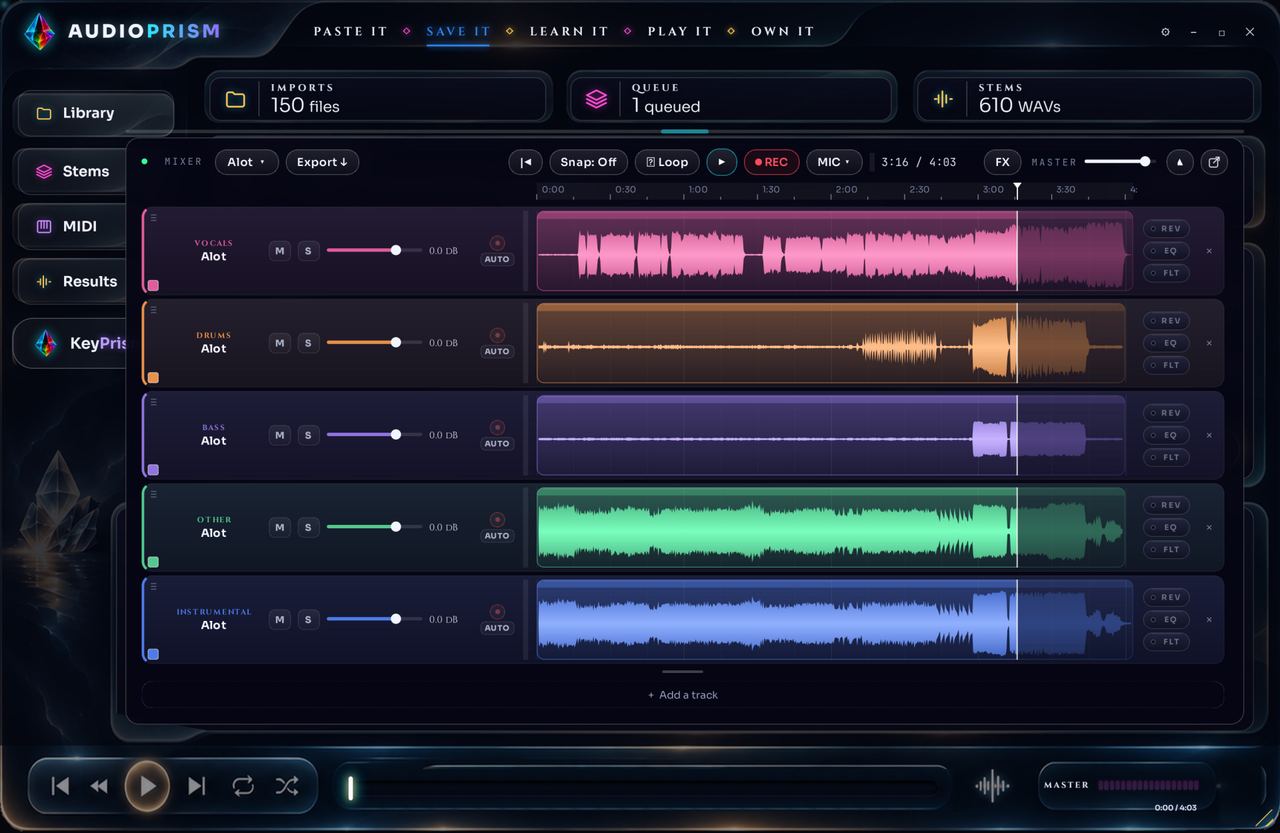
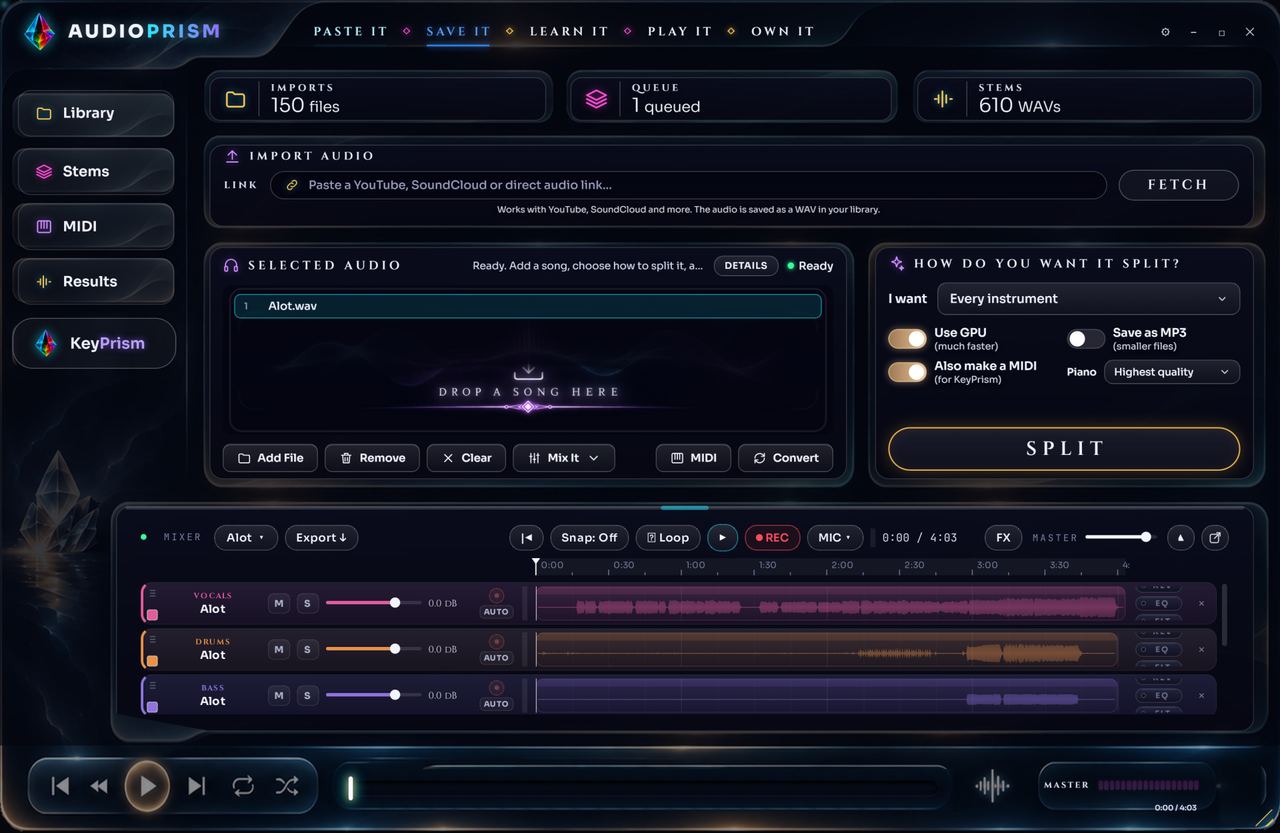
- Drop in a file, or paste a YouTube, SoundCloud or direct link. Linked audio is saved as a WAV.
- Choose every instrument to get all six stems: vocals, drums, bass, guitar, piano and other. Or pick the guitar alone if you only want to hear the part.
- In the built-in mixer, mute the guitar (or turn it down to a guide level), loop a section, and record yourself over the song.
- Export the mix you hear as one file, or export the guitar stem to MIDI with one button if you want the notes for tab or notation software.
Nothing is uploaded, there's no account and no daily limit. If you also play keys, KeyPrism, the piano trainer built in, turns the same song into falling notes with note names and fingering.
Honest limits
- Lead and rhythm guitar are not separated from each other.
- Separation can leave traces: a busy mix may leave a little guitar in other stems, or the reverse.
- Fastest on an NVIDIA GPU; it runs on the CPU without one. On Mac it needs Apple Silicon (M1 or newer, macOS 12+).
- The Windows download is a 7.3 GB zip.
Questions people ask
Will it separate lead guitar from rhythm guitar?
Not in AudioPrism. All the guitars come out together on the guitar stem. To drop only a solo, split the song, then cut or lower the guitar stem just for the solo section in your DAW.
Where do acoustic guitars and synths end up?
Guitars usually go to the guitar stem, and synths and pads usually land in other. Heavily processed guitars can end up split between the two, so listen to both.
Can I slow the song down to learn the part?
AudioPrism's slow-down to 40% is in KeyPrism, its piano trainer. For guitar practice at a slower tempo, export the stems and use your DAW or practice player's time-stretch.
Can I save the guitarless version as a file?
Yes. The mixer's Export button saves what you hear, with your mutes and levels, as one audio file.
Does the same work for bass?
Yes. Bass has its own stem, so you mute bass instead of guitar and play the bass line yourself.