
Falling notes piano for any song, not just the ones in an app's library
Falling-notes trainers play from a note file, usually MIDI, so they can only show songs someone has already turned into one. To get falling notes for your own song, you need a tool that makes that piano part from the recording itself.
Why your song isn't in the app
A falling-notes display is drawn from a list of notes: which key, when, and for how long. The well-known trainers read that list from a file. Synthesia, for example, says on its own site that it uses standard MIDI or MusicXML songs. Apps with a song store do the same thing behind the scenes; someone transcribed each song in the catalog.
That's why the song you actually want to play is often missing. If nobody has made a MIDI file of it, or the one you find is wrong or covers only the melody, there is nothing for the app to show.
Three ways to get falling notes for your own song
1. Find a MIDI file
Search for the song name plus "MIDI". For well-known songs you'll often find several. Open one in your trainer and listen before you practice: many hobby files are close but not exact, and some put every instrument on the piano.
2. Make the MIDI yourself from the audio
Audio-to-MIDI tools listen to a recording and write down the notes they hear. This works best on a clean part. On a full band mix, separate the piano first and convert only that, or you'll get drum hits and vocal lines mixed into your piano notes. Our audio to MIDI guide covers the steps.
3. Use a trainer that starts from the recording
A trainer that works from audio does steps 1 and 2 for you: give it the song, and it builds the piano part and shows it as falling notes straight away. That is what KeyPrism does.
How to practice with falling notes
- Start at a slow speed where you can hit every note. Speed is the last thing to add.
- Use a wait mode if your trainer has one, so the song stops until you press the right key. You learn the notes without the pressure of the beat.
- Loop the hard bar instead of restarting the song every time you miss.
- One hand, then the other, then both. Watching two streams of notes at once is the hardest part for beginners.
- Look at the note names, not just the colors, so you start to know the keyboard without the screen.
Where AudioPrism fits
AudioPrism is a desktop app for Windows and Mac (Apple Silicon), and KeyPrism is the piano trainer built into it. It is made for exactly this problem: the song you want isn't in anybody's library.
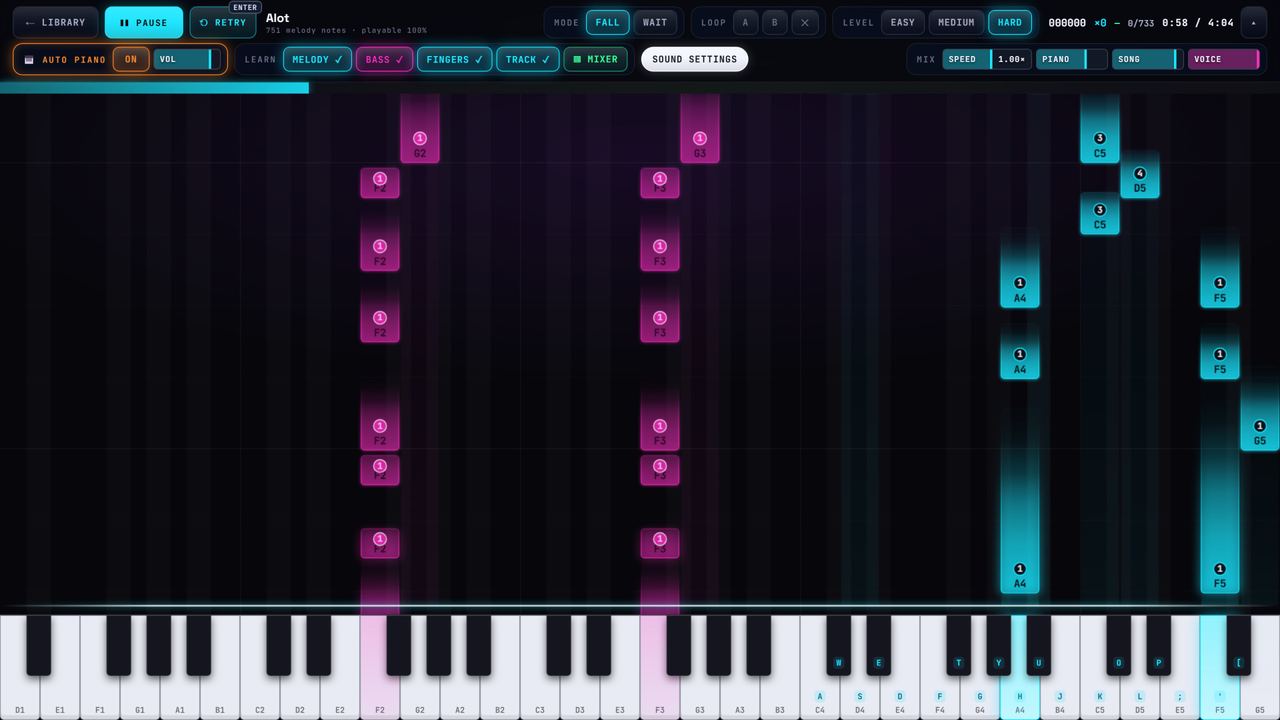
- Any song in. Drop in a file, or paste a YouTube, SoundCloud or direct link. The audio is saved as a WAV, not an MP3.
- A two-hand piano part out. KeyPrism isolates the piano part and shows it as falling notes at Easy, Medium or Hard, with the note name and a finger number on every note.
- Practice tools. WAIT mode holds the song until you play the note. Slow it to 40%, loop a bar, and practice hands separately.
- Hear the singer. The vocal sits on its own fader, so you can keep it in the mix while you learn.
- Learn mode and a scored play mode, and a PLAYABLE% rating on every song.
- Take it elsewhere. Any stem exports to MIDI with one button, if you'd rather practice in another app.
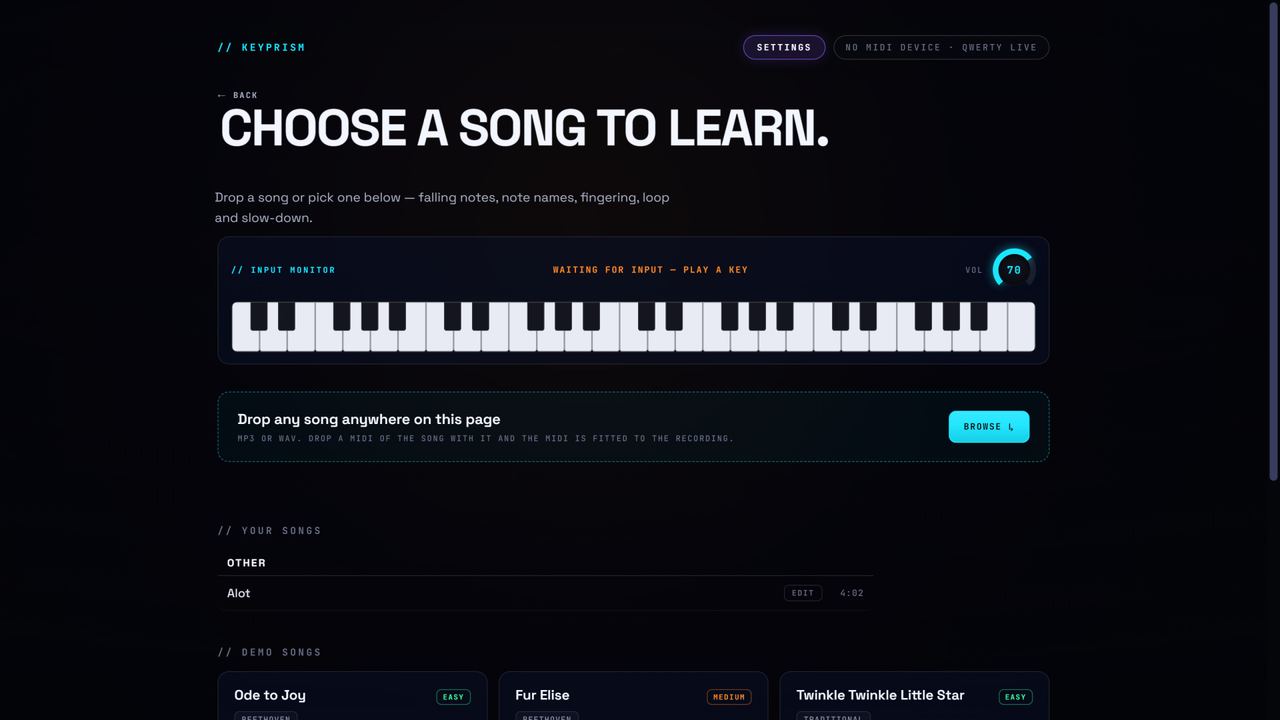
It fits any keyboard from 25 to 88 keys. Everything runs on your own computer: no account, no upload, no daily limit.
Honest limits
- The falling notes are built from the recording, so they are an arrangement of what you hear, not a publisher's score.
- Preparing a song is fastest on an NVIDIA GPU. Without one AudioPrism uses the CPU, which is slower but works. On Mac it runs on Apple Silicon.
- Mac: Apple Silicon only (M1 or newer, macOS 12+). Windows: 10 or 11, 64-bit; the download is a 7.3 GB zip.
- There's no phone or tablet version; the demo runs in a browser.
Questions people ask
Can I use falling notes with an MP3 or a song from a link?
Yes, if the tool builds the piano part from audio. KeyPrism takes a song file or a link (YouTube, SoundCloud or a direct link), saves the audio as a WAV and makes the falling notes from it.
Can I export the notes to use in another falling-notes app?
Yes. AudioPrism exports any stem to MIDI with one button, and MIDI is the format most falling-notes apps and notation programs open.
Does KeyPrism show which finger to use?
Yes. Every falling note shows its note name and a finger number.
Can I practice one hand at a time?
Yes. You can practice hands separately, slow the song to 40% and loop a bar.
Is there a free way to try it?
The KeyPrism demo runs in your browser with a computer keyboard or a MIDI keyboard. The full app is a one-time purchase with a 14-day refund.