
How to learn any song on piano, even without sheet music
Pick one recording, learn the melody first, then the bass line, then the chords, one short section at a time, slowed down and with each hand on its own before you put them together. That works for any song, with or without sheet music.
Before you start: pick the version you want to play
Most songs exist in several versions: the studio recording, a live take, a stripped-down piano cover. Choose one recording and stick with it, because the chords, key and tempo can differ between versions. If you only have the song as audio, that is fine. Everything below works from a recording.
Also decide how close you want to get. A simplified version (melody in the right hand, single bass notes in the left) is playable within days. A full arrangement with every voicing takes longer. Start simple; you can always add notes later.
The method, step by step
- Map the song. Listen once all the way through and write down the order of sections: intro, verse, chorus, bridge. Most pop songs repeat the chorus three or four times, so learning it first gives you the largest share of the song for the least work.
- Find the first note of the melody. Hum the opening line, then try keys until one matches. Sing it, play it, sing it again. Once you have the first note, the next one is usually close by: a step or two up or down.
- Learn the melody phrase by phrase. Work on one line at a time with your right hand. Don't move on until you can play the line twice in a row without stopping.
- Find the bass notes. Listen to the lowest sound under each chord change and find it with your left hand. In many songs the bass note is the root of the chord, which gives you the chord name for free.
- Fill in the chords. With the bass note and the melody note known, try the major and minor chord built on that bass note. One of them almost always fits. Play the chords as simple blocks first.
- Slow it down and loop. Play the hardest bar at a speed where you make no mistakes, repeat it until it feels easy, then speed it up a little. Fast, sloppy repetitions teach your hands the mistakes.
- Hands separately, then together. Right hand alone, left hand alone, then both, slowly. When both hands work, join the sections in order and bring the tempo up last.
Short daily sessions beat one long one, and working on the two bars you keep missing moves you further than playing the whole song through with the same mistakes.
When working by ear gets hard
Steps 2 to 5 are where most people get stuck. In a full mix the piano or the melody can be buried under drums, guitars and vocals, and you can't slow a streaming app down without the sound turning to mush. There are three ways around it:
- Find a tutorial or sheet music for the song, if someone has made one. Popular songs usually have one; less known songs often don't.
- Isolate the part you're trying to hear. A stem splitter pulls the piano, bass or vocal out of the mix so you hear it on its own. See how to isolate the piano from a song.
- Use a falling-notes trainer that turns the recording into a piano part you can see, slow down and loop.
Where AudioPrism fits
AudioPrism is a desktop app for Windows and Mac (Apple Silicon). KeyPrism is the piano trainer built into it, and it does the last two of those for a song you choose.
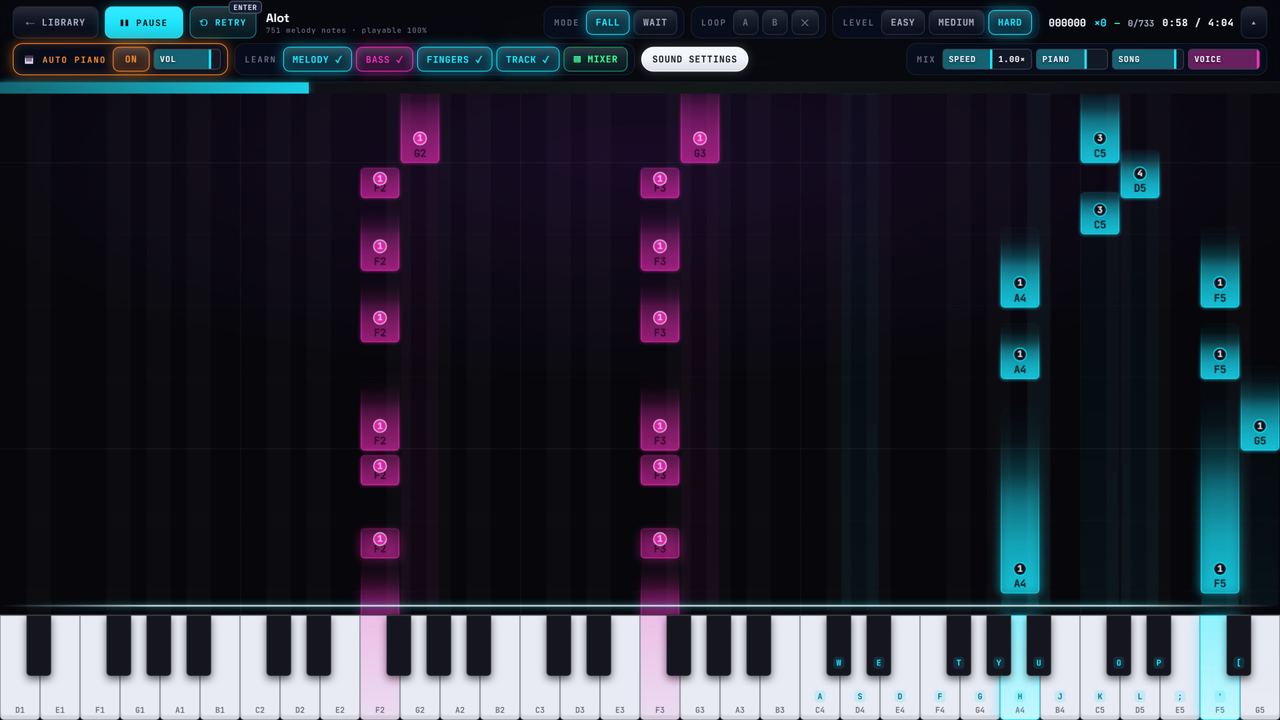
Paste a link or drop in a song file. KeyPrism isolates the piano part and turns the song into a two-hand piano part you learn as falling notes, at Easy, Medium or Hard. Every note carries its name and a finger number, so the method above becomes visual:
- Slow it to 40% and loop a bar for step 6.
- Practice hands separately for step 7.
- WAIT mode holds the song until you play the right note, so you never fall behind while you're still finding keys.
- The vocal sits on its own fader, so you can keep the singer in your ears while you learn, or turn the voice down.
- When you know it, switch from learn mode to the scored play mode. Every song also gets a PLAYABLE% rating.
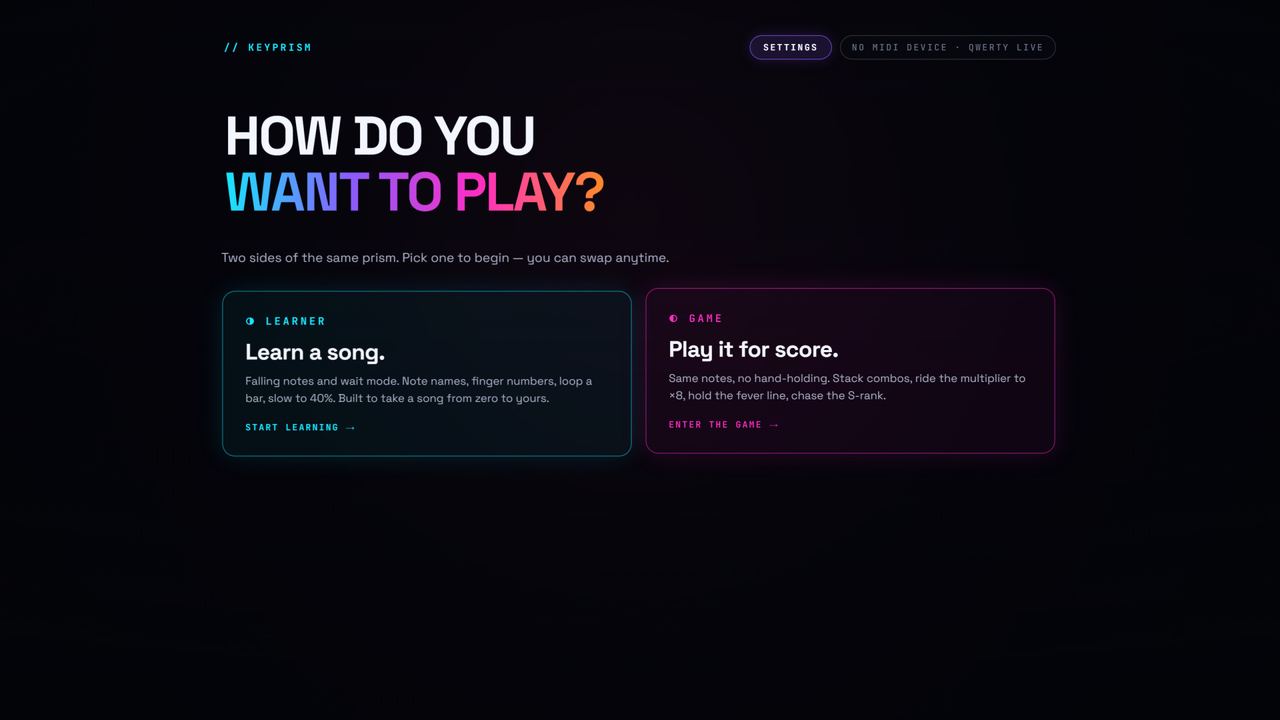
It fits any keyboard from 25 to 88 keys. Separation runs offline with Demucs on your own computer: nothing is uploaded and there's no account or daily limit.
Honest limits
- The piano part is built from the recording. It is a playable arrangement, not the official score, so check a bar by ear if it sounds off to you.
- Splitting is fastest on an NVIDIA graphics card. Without one it runs on the CPU, which works but takes longer. On a Mac it runs on Apple Silicon.
- Mac support is Apple Silicon only (M1 or newer, macOS 12+). Intel Macs are not supported.
- The Windows download is a 7.3 GB zip, because the separation models run on your machine.
- Use songs you own or have the right to use.
Questions people ask
Do I need to read sheet music to learn a song this way?
No. Learning by ear needs none, and KeyPrism labels every falling note with its name and a finger number, so you can play from what you see on the keys.
How slow can I practice a song in KeyPrism?
You can slow any song down to 40% of its speed, loop a bar, and practice the right and left hand separately before playing both.
What keyboard do I need?
KeyPrism fits any keyboard from 25 to 88 keys. If you want to see how the falling notes feel before buying, the browser demo works with a computer keyboard or a MIDI keyboard.
Is the piano part the same as the official sheet music?
No. KeyPrism builds the part from the recording you give it, at Easy, Medium or Hard. It is a playable arrangement of what you hear, not the publisher's score.
Does it work on a phone or tablet?
No. AudioPrism is a desktop app for Windows 10/11 (64-bit) and Mac with Apple Silicon. The demo runs in a browser.