
How to make a karaoke version of any song
Separate the vocal from the music with an AI vocal remover, keep the instrumental, and sing over it with the lyrics in front of you. For practice, leave the original voice in at a low level as a guide instead of removing it completely.
What a good karaoke track needs
- A clean instrumental that still sounds like the record: full bass, drums and stereo width.
- An optional guide vocal, the original singer at a low level, so you don't lose your place.
- The lyrics where you can see them.
- A way to hear yourself, ideally by recording and playing it back.
Step by step
- Check for an official karaoke or instrumental version first. Many hits have one on streaming services or karaoke channels.
- Get the best copy of the song you can. WAV or another lossless file gives a cleaner instrumental than a small MP3.
- Remove the vocal with AI separation. Old "vocal cut" tricks that cancel the center channel also remove bass and drums and leave reverb behind; AI separation keeps the band intact. See how to remove vocals from a song for the options.
- Decide on a guide vocal. For a party, mute the voice. For learning a song, keep it quiet in the background until you know the phrasing.
- Put the lyrics up. A lyrics page in a second window works. For timed lyrics, karaoke programs such as UltraStar Deluxe play a song file with a matching lyric file.
- Sing and record. Use headphones so the track doesn't bleed into your mic, record a take, and listen back next to the original singer.
Tips for practice
- Learn one verse and the chorus well before the whole song.
- Solo the original vocal for a line you can't get, listen a few times, then sing it with the instrumental.
- Keep the guide vocal a little lower each time until you no longer need it.
Where AudioPrism fits
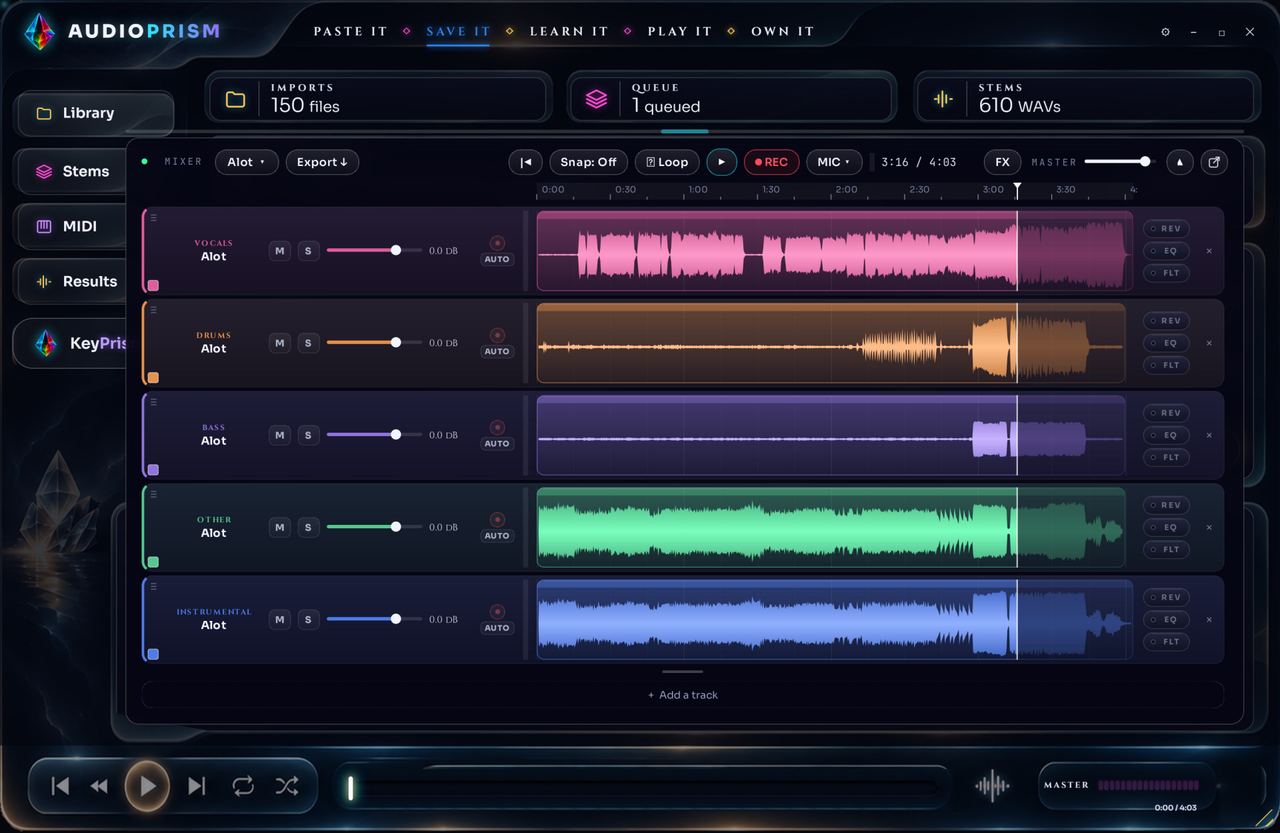
AudioPrism is a desktop app for Windows and Mac (Apple Silicon) that makes the instrumental offline and gives you a mixer with a vocal fader and a record button.
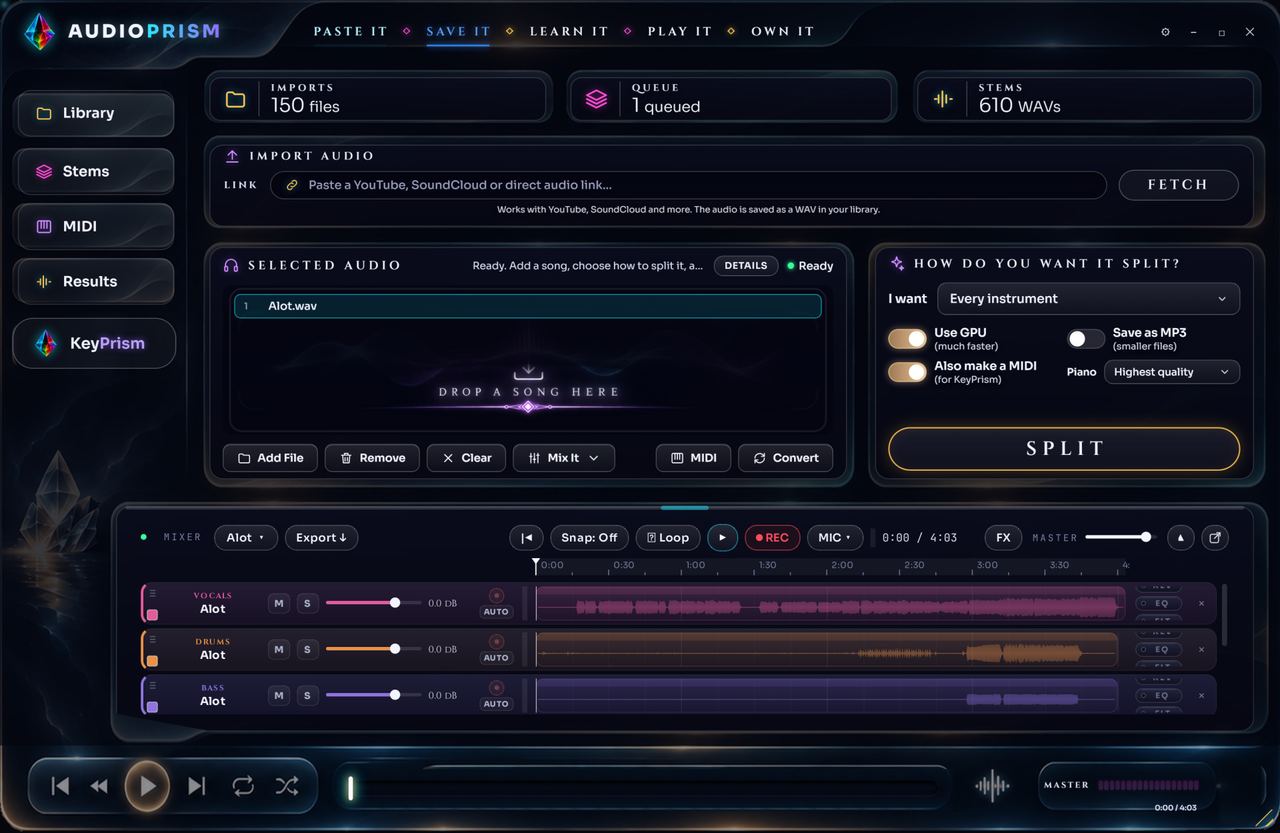
- Drop in a file, or paste a YouTube, SoundCloud or direct link. Linked audio is saved as a WAV, not an MP3.
- Choose an instrumental, or all six stems if you want to change the band's balance too. Demucs runs on your own computer; nothing is uploaded.
- In the built-in mixer, mute the vocal or keep it low as a guide, and record yourself over the song.
- Export the mix you hear as one file for parties or rehearsal.
Want to accompany yourself? KeyPrism, the piano trainer built in, turns the same song into a two-hand piano part as falling notes with note names and fingering, and keeps the vocal on its own fader while you learn.
Honest limits
- No lyrics display and no key change in AudioPrism.
- Reverb-heavy or layered vocals can leave a faint trace in the instrumental.
- Fastest on an NVIDIA GPU; without one it uses the CPU. Mac: Apple Silicon only (M1 or newer, macOS 12+).
- The Windows download is a 7.3 GB zip.
Questions people ask
Does AudioPrism show lyrics?
No. It makes the instrumental and lets you record over it. Show the lyrics separately, from a lyrics site, your own text, or a karaoke program that displays lyric files.
Can I change the key to fit my voice?
AudioPrism doesn't change the key. If you need it lower or higher, export the instrumental and pitch-shift it in an audio editor.
Will backing vocals be removed too?
Yes, backing vocals go with the lead vocal into the vocal part. If you want the backing vocals kept, there is no way to separate them from the lead in AudioPrism.
Can I record my singing over the track?
Yes. The built-in mixer can record you over the song, so you can listen back next to the original.
Can I use the karaoke track on a TV or karaoke machine?
Export it as an audio file and play it on whatever you like. For on-screen lyrics you'll need a karaoke player that supports lyric files.