
How to extract an acapella from any song
To get an acapella, run the song through an AI vocal separator, keep the vocal track, then tidy it with a high-pass filter and a gate or light edits. The source file matters most: the cleaner the file you start with, the cleaner the vocal you get out.
What you need
- The best copy of the song you can find. WAV, FLAC or a high-bitrate file. A separator can't recover detail that compression already removed.
- A vocal separator. Modern ones use AI models (Demucs is a well-known one) rather than the old trick of cancelling the center channel, which can't give you a vocal on its own at all.
- An audio editor or DAW for the clean-up, if you're going to use the acapella in a mix.
Step by step
- Check for an official acapella. Artists sometimes release them for remix contests or on DJ download services. If one exists, use it.
- Get a lossless source. If you're starting from a link, save the audio as WAV instead of MP3.
- Run a vocal split. Ask the separator for vocals only (an acapella). Splitting into vocals and "everything else" is the simplest job for the model.
- Listen on headphones, soloed, through the loudest chorus. That's where cymbals, bright guitars and synths most often leak into the vocal.
- Clean up. A high-pass filter below the lowest sung note removes rumble and kick-drum bleed. A gate, or simply cutting the gaps between phrases, removes low-level hiss and residue where nobody is singing.
- Export as WAV at the same sample rate as your project, so it stays lined up with the original song's tempo.
Tips for a better acapella
- Songs where the voice sits clearly in front of the mix separate best. Dense rock and heavily layered pop are harder.
- Don't over-process. A little residue under a full remix is inaudible; a heavily gated vocal sounds choppy.
- Keep the instrumental too. Splitting gives you both, and having the instrumental means you can check how the vocal sits against the original.
Where AudioPrism fits
AudioPrism is a desktop app for Windows and Mac (Apple Silicon) that runs Demucs on your own computer, so the song never leaves it.
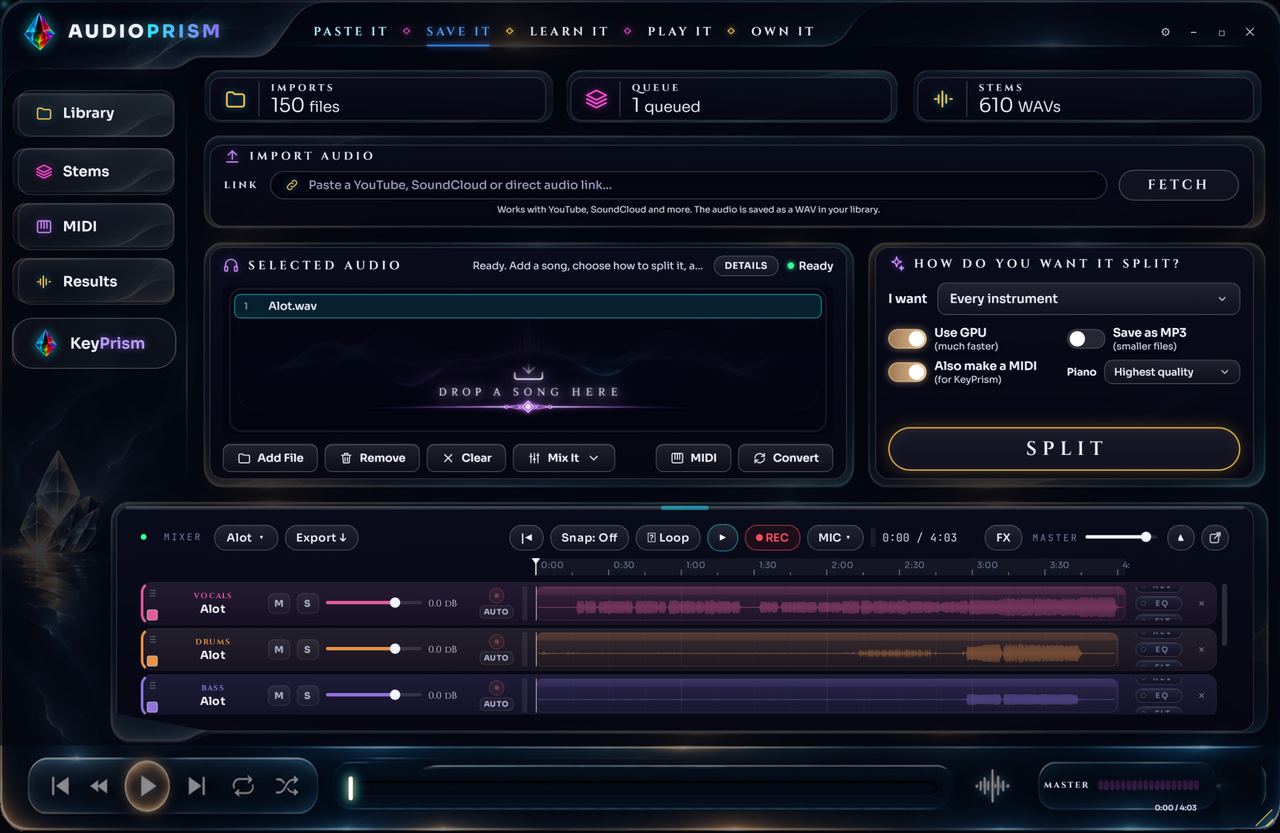
- Drop in a file, or paste a YouTube, SoundCloud or direct link. Linked audio is saved as a WAV, not an MP3, which helps with step 2 above.
- Choose an acapella. You can also ask for an instrumental, any single instrument, or all six stems (vocals, drums, bass, guitar, piano and other).
- Split. The vocal opens on its own track in the built-in mixer, next to the rest of the song, so you can solo it, compare it and record over it.
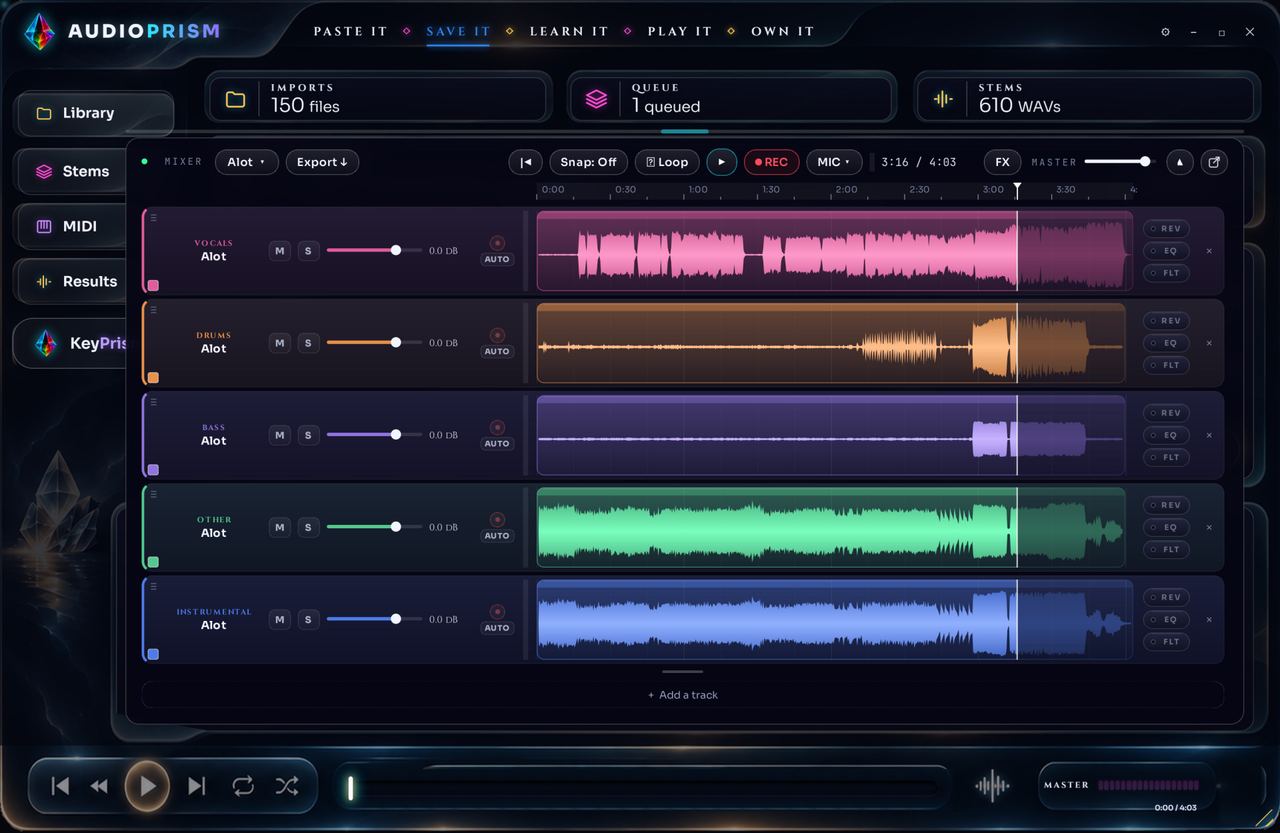
Two extras for producers: any stem, including the vocal, exports to MIDI with one button, and the whole thing works offline with no account, no upload and no daily limit. The license covers personal and commercial creative use of the app; the rights to the song itself are a separate question (see the FAQ).
Honest limits
- An extracted acapella is rebuilt from the mix. Expect small artifacts on busy, reverb-heavy songs.
- Lead and backing vocals come out together on one vocal stem.
- Fastest on an NVIDIA GPU; it falls back to the CPU without one. On Mac it runs on Apple Silicon (M1 or newer, macOS 12+); Intel Macs are not supported.
- The Windows download is a 7.3 GB zip.
Questions people ask
What is the difference between an acapella and a vocal stem?
In practice they're the same thing here: the lead and backing vocals on their own, without the band. An official acapella comes from the studio session; an extracted one is rebuilt from the finished mix.
Why does my extracted acapella sound watery?
Usually the source. A low-bitrate MP3 has already thrown away detail. Start from a WAV or the best file you can get, and expect busy, reverb-heavy mixes to leave a little residue.
Can I get the backing vocals separately from the lead?
Not with AudioPrism. Its vocal stem holds all the voices together.
Can I turn the vocal melody into MIDI?
Yes. In AudioPrism any stem exports to MIDI with one button, which is useful for doubling a vocal line on a synth or writing a harmony.
Is it legal to use an extracted acapella?
Practicing with it at home is one thing; releasing a remix is another and needs permission from whoever owns the song. You're responsible for having the rights to the audio you process.